Split by Percent - 60/40 Without the Maths
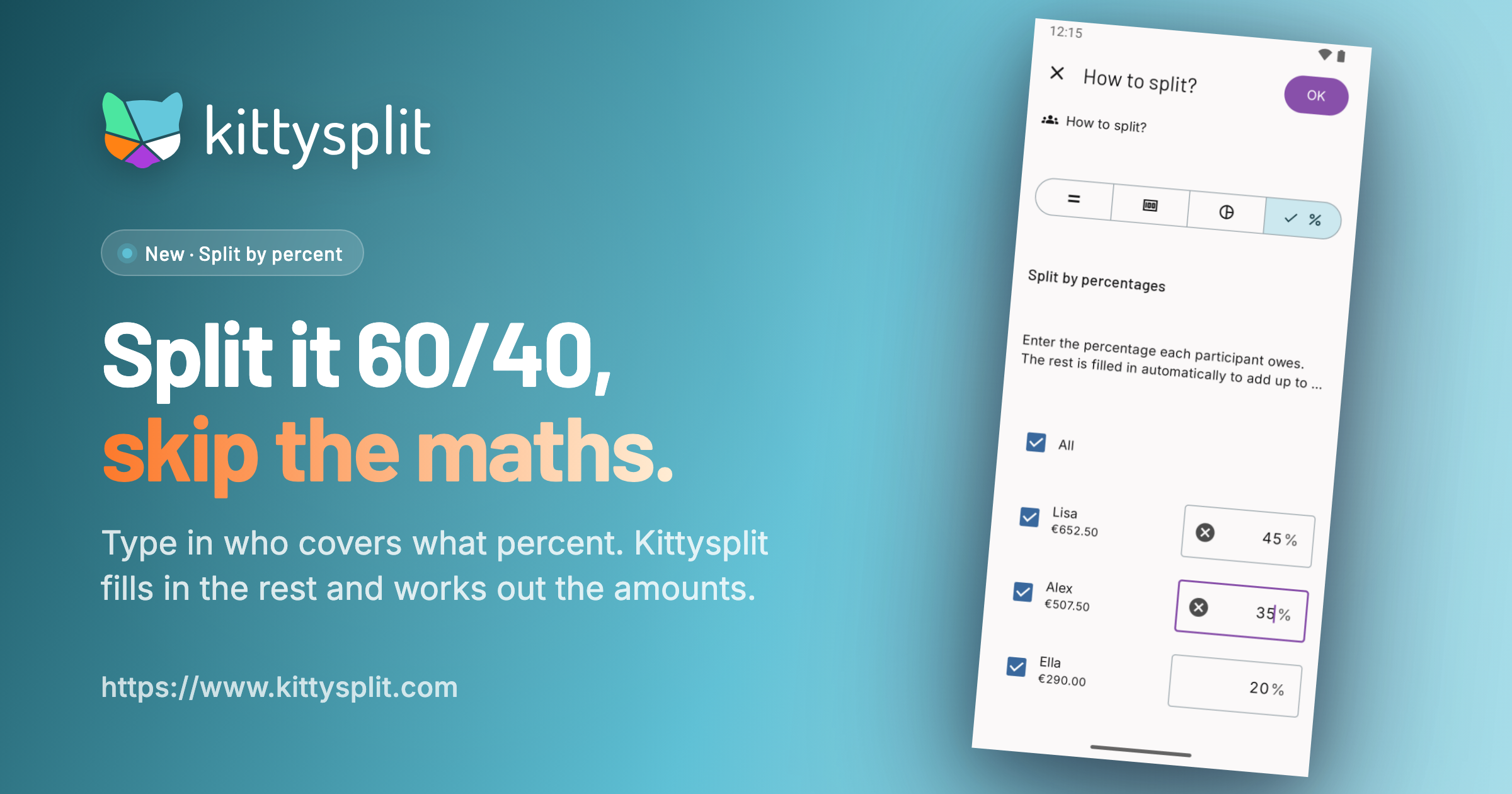
You can now split an expense by percent in Kittysplit. One of you covers 60% of the rent and the other 40%? Type in exactly that and you’re done. It works on the web and in the iOS and Android apps, and it’s free in every Kitty.
Wait, couldn’t you do that already?
Sort of. Back in 2017 we launched unequal splitting, and since then you could split an expense by exact amounts or by shares. With shares you can get to any ratio you like: give one person 3 shares and the other 2 and you’ve got your 60/40.
The catch is that you have to think of it that way first, and hardly anyone does. People agree on “60/40” and then go looking for a percent field. We know because you kept writing to us to ask where it was. Fair enough.
The funny part: a very early Kittysplit had percentages, and we swapped them for shares because shares can do more. Turns out you wanted both. So now there’s a tab for it.
How it works
Add an expense, pick “Split differently” and go to the new Percent tab. Then type in a percentage for whoever you like.
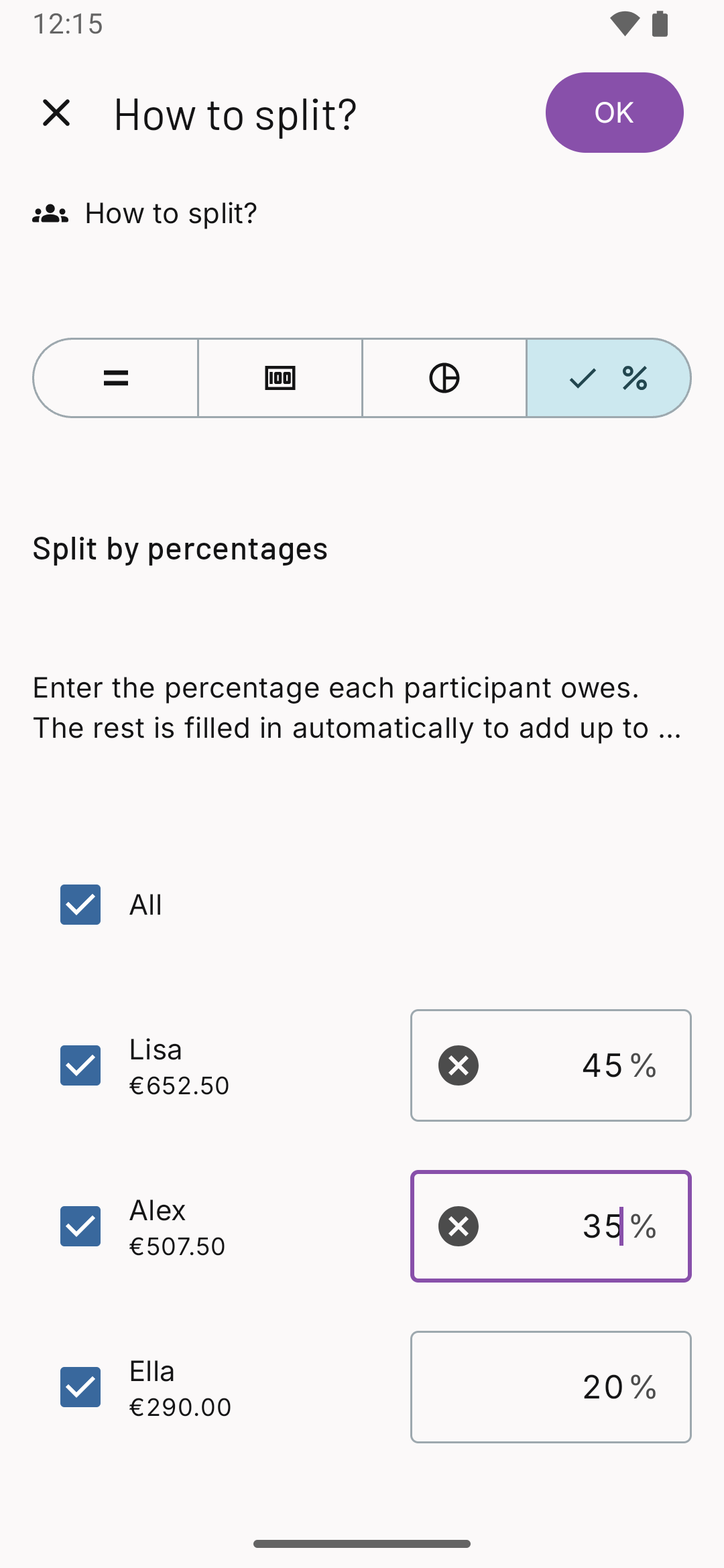
You don’t have to fill in every field. Kittysplit spreads whatever is left over the people you haven’t touched, so the total always lands on 100%. In the example above we only typed 45 for Lisa and 35 for Alex, and Ella’s 20% showed up by itself. Each person’s share also shows up in actual money, so nobody has to get a calculator out.
If you do fill in everything yourself and it doesn’t add up to 100%, Kittysplit won’t let you save until it does. And if you need to be precise, you can go down to two decimals. 33.33% is fine.
What’s it good for?
The classic is a couple or a flat share where people chip in according to what they earn. If you’ve agreed on 60/40 for the rent, you can now enter the rent as 60/40.
It’s also handy when a split comes from somewhere else. The landlord says your room is 45% of the flat. Your friend agreed to cover a quarter of the rental car because they only joined for the last few days. You already have the number, so you can just type it in.
Shares and exact amounts haven’t gone anywhere, so use whichever fits. Counting nights at the holiday home is still easier with shares. And if somebody just owes 12.50 for their cocktail, put in the amount.
Happy splitting! 🐱✨