Search and Filter Your Expenses
“Did you ever put the olive oil into the Kitty?” If your Kitty has 20 expenses, you scroll and look. If it’s the Kitty of your flat share and it has 400, you’d rather not. So there’s a search for your expenses, and filters to go with it. The apps have had both for a while, and now the web has caught up.

Before we had apps, nobody asked us for a search. On the web you don’t need one, your browser already has it: Ctrl+F, type “olive oil”, done. Then the first of you started using the app and that trick was gone. One of you told us about a Kitty with some 900 expenses in it. Another one wrote from a holiday in Porto, where the group wanted to look things up by day, amount and who paid. And a question a lot like the one above really did reach us, from a shared household.
So search and filters went into the apps in September 2025, right after the launch.
Search
Go to the expenses of your Kitty and tap the magnifying glass. Then start typing. You don’t need the whole word, the first few letters will do.
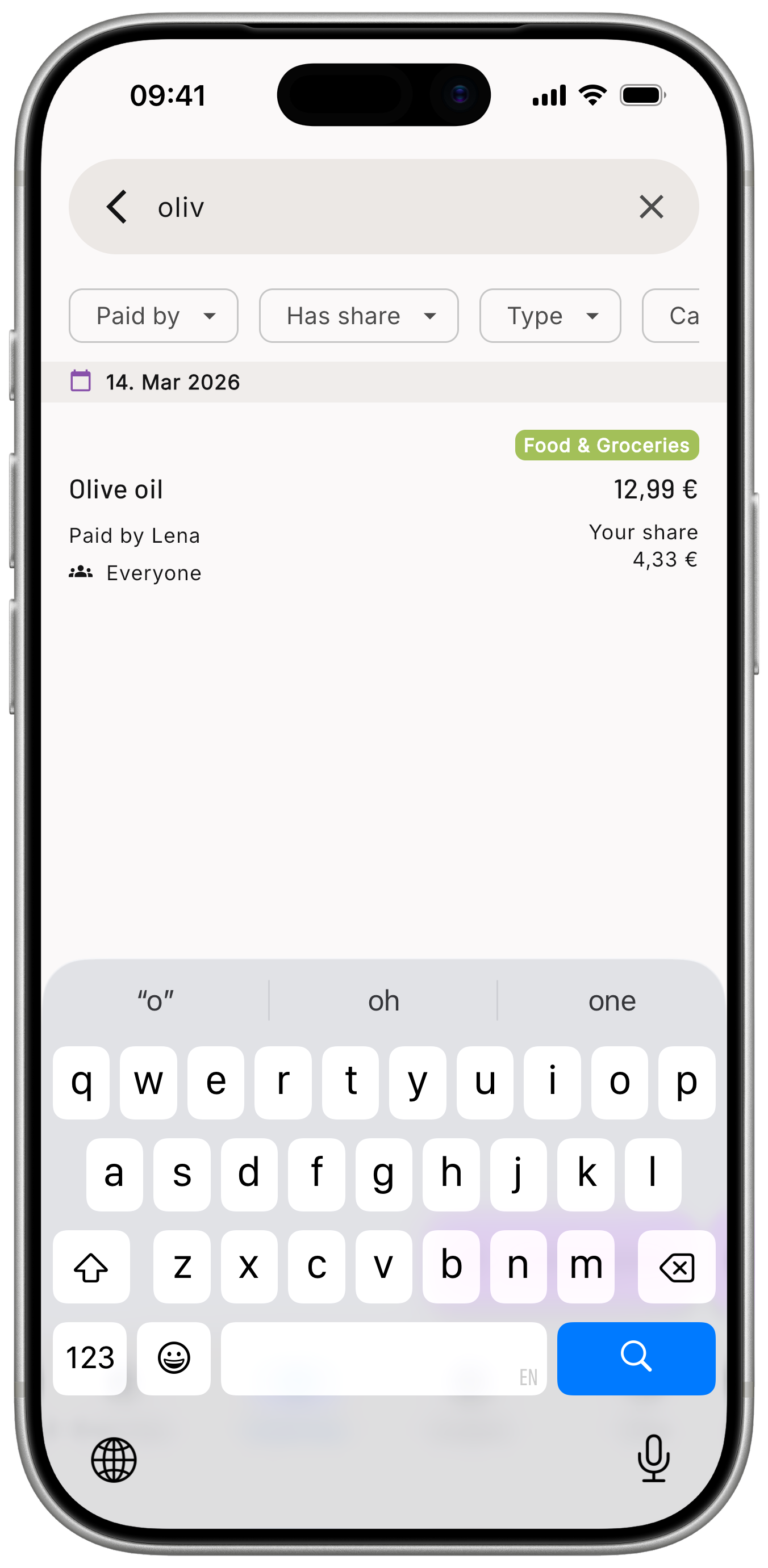
There it is. Lena bought it on 14.03.2026, and yes, she did put it in.
Filters
Below the search field there’s a row of filters:
- “Paid by” shows what one person paid for
- “Has share” shows everything one person is part of, no matter who paid
- “Type” narrows the list down to expenses, incomes, transfers or settlements
- “Category” shows one of the categories
You can combine them with each other and with the search. Here’s everything Aylin paid for utilities, which turns out to be the electricity bill every other month:
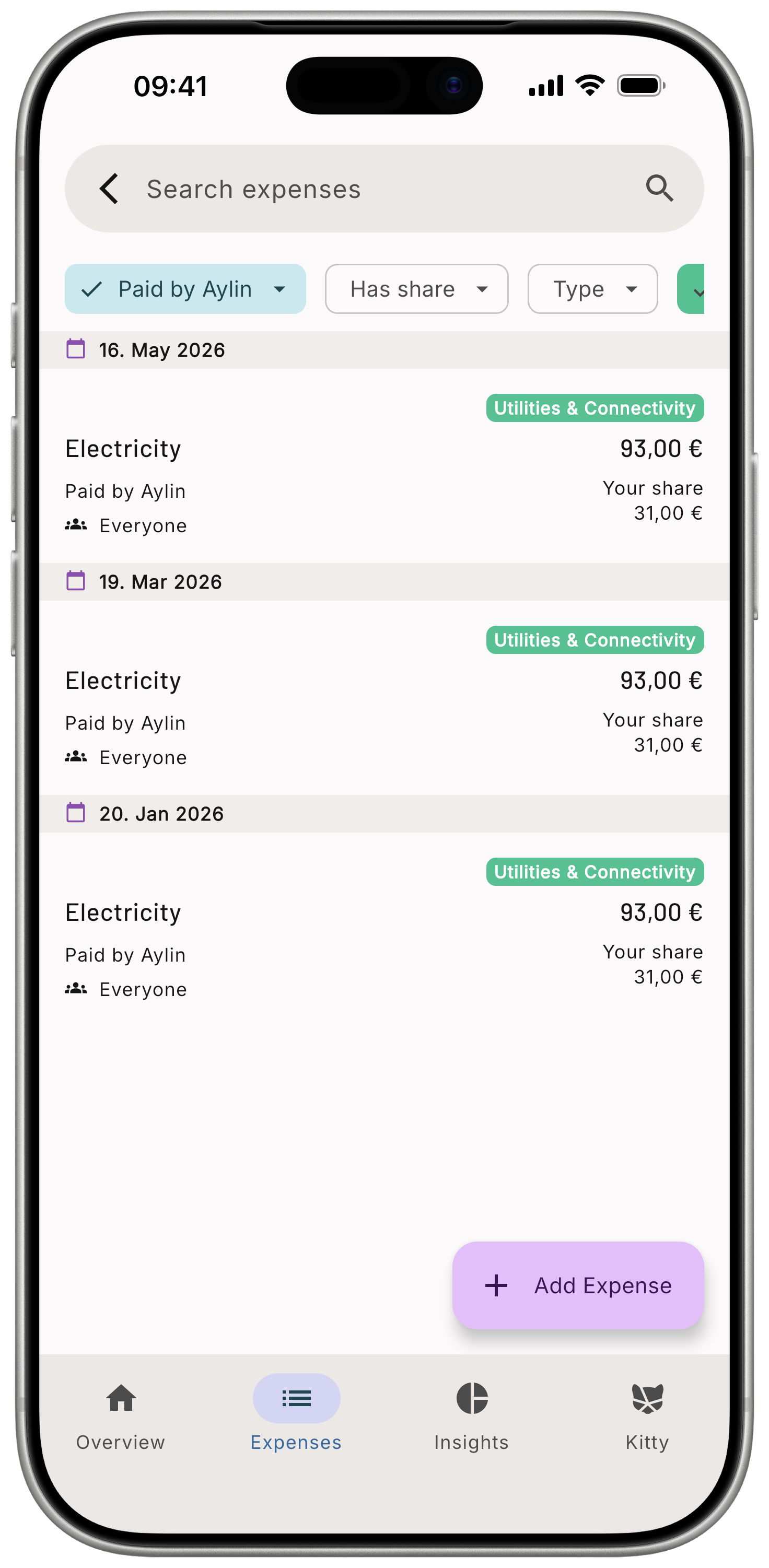
“Has share” is the one for bigger groups. Not everybody is part of every expense there, and this is how you see what your own balance is made of. The type filter is handy when you only want to check who has already paid whom back.
If nothing is left because you were too strict, “Reset all filters” gets you back to the full list.
Now on the web too
The web version used to have four buttons above the list: all, what you paid, your shares and what the others paid. They did their job, but it was odd that the app could do more than the website. Since this week the web has the same magnifying glass with the same search field and the same four filters behind it. Ctrl+F still works, we won’t tell anyone.
Search and filters are free in every Kitty. You can try them on kittysplit.com or in the iOS and Android apps.
Happy splitting! 🐱✨