Introducing Expense Categories - Better Insights for Your Kitties
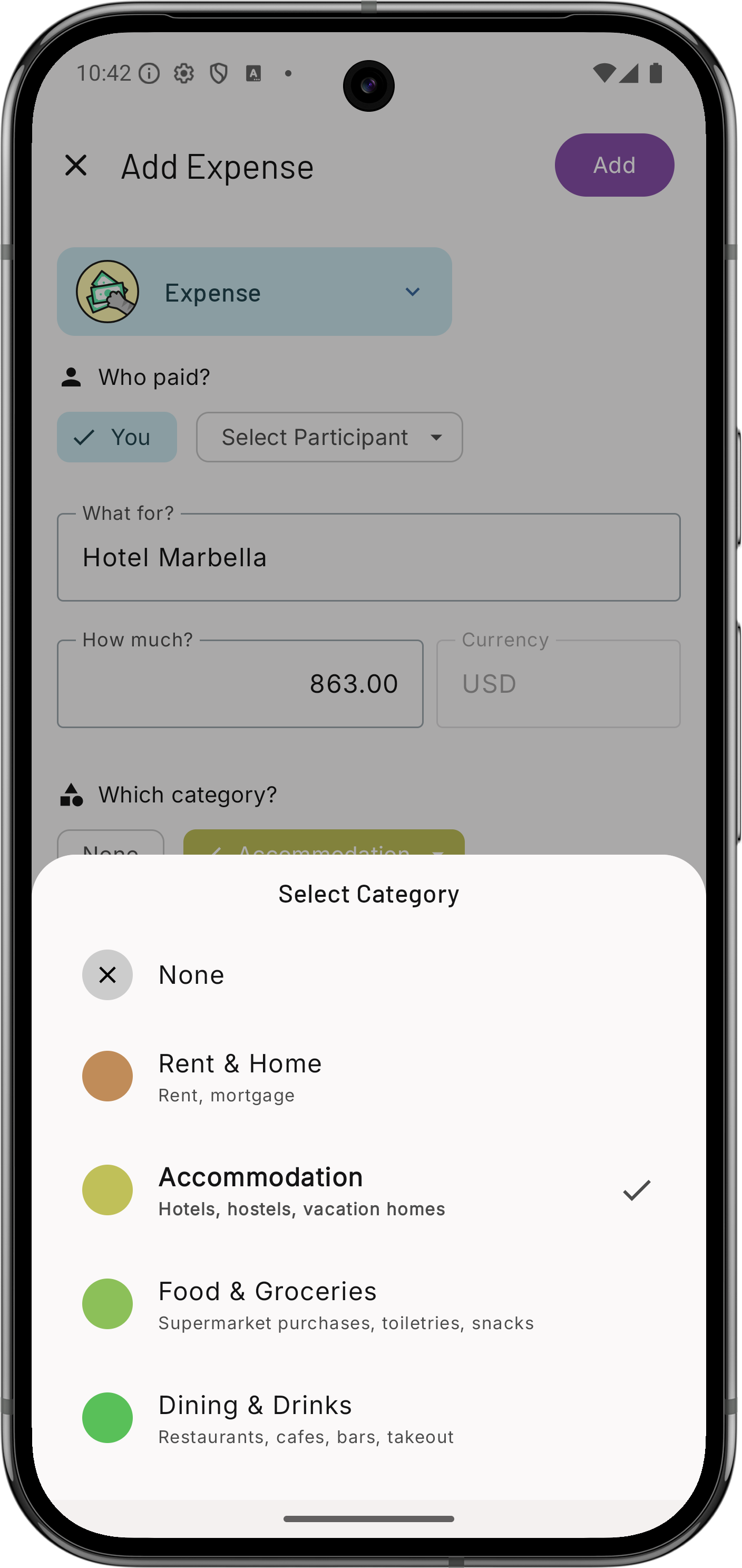
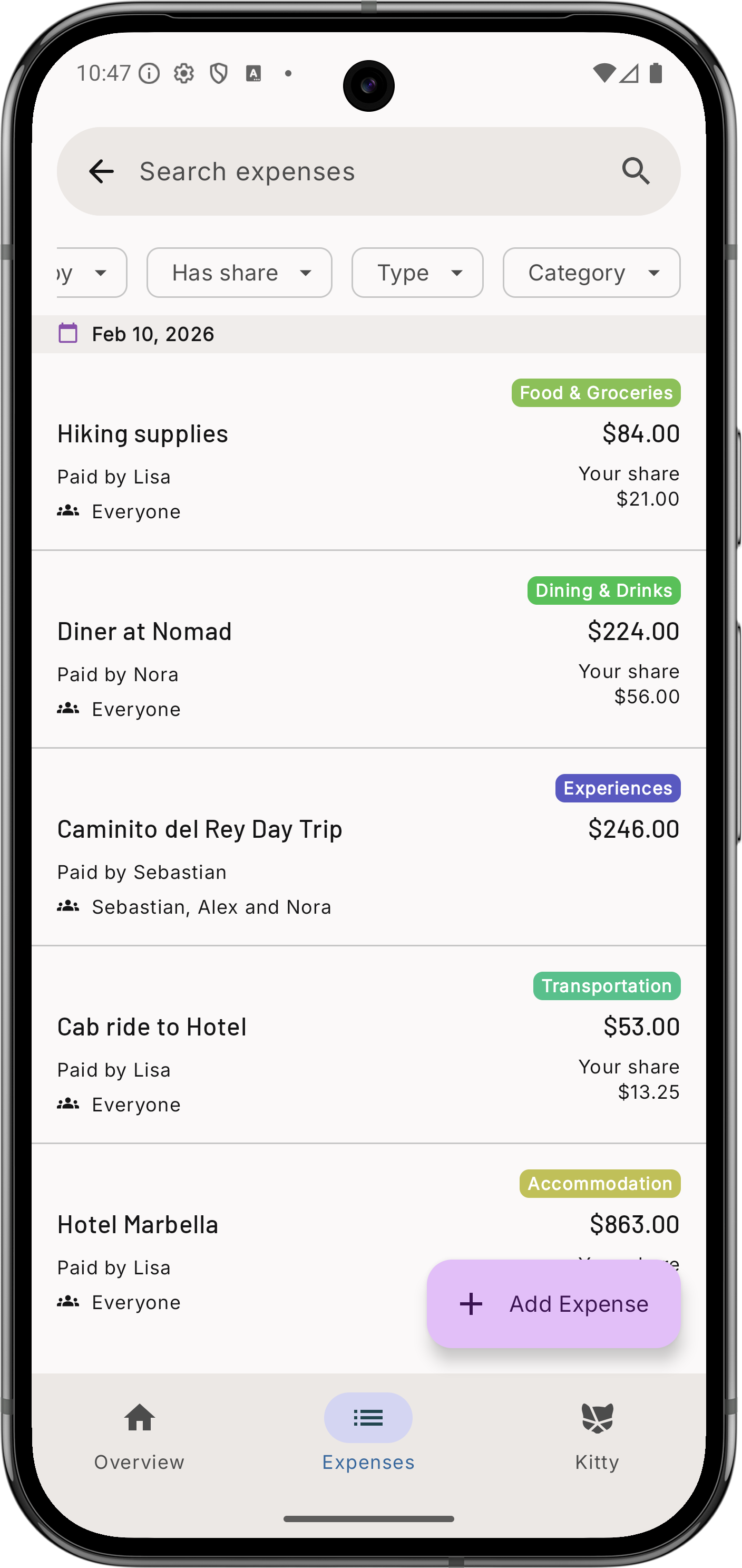
We’re happy to announce a powerful new feature for Kittysplit: Expense Categories! Starting today, you can organize every expense and income in your Kitties with categories, giving you a clearer picture of where your money is going.
 |
 |
|---|---|
| Add Expense | Filter by expense |
What’s New?
Every expense or income you add to your Kitty can now be assigned to one of 12 categories:
- Rent & Home - Rent, mortgage, home insurance, and household essentials
- Accommodation - Hotels, vacation rentals, and temporary stays
- Food & Groceries - Supermarket runs and household food supplies
- Dining & Drinks - Restaurants, bars, cafes, and takeout
- Transportation - Gas, public transit, ride-shares, and car rentals
- Utilities & Connectivity - Electricity, water, internet, and phone bills
- Health - Medical expenses, pharmacy, and health insurance
- Experiences - Entertainment, activities, concerts, and events
- Shopping & Gear - Clothing, electronics, and general purchases
- Wellness & Personal Care - Gym, spa, beauty, and self-care
- Financial & Fees - Bank fees, service charges, and financial costs
- Miscellaneous - Everything else that doesn’t fit elsewhere
Each category comes with its own distinctive color, making it easy to spot patterns at a glance.
Filter Your Expenses
The first feature we’re rolling out with categories is expense filtering. You can now filter your expense list by category to quickly find:
- All dining expenses from your group trip
- Grocery spending in your shared apartment
- Transportation costs for your road trip
- Any specific category you want to review
This makes it incredibly easy to answer questions like “How much did we spend on food?” or “What were our accommodation costs during the vacation?”
What’s Coming Next?
This is just the beginning. We’re already working on the next features to help you get even more value from your categorized expenses:
Month-to-Month Comparisons
Track how your spending in each category changes over time. See if your grocery bills are creeping up or if you’re spending less on dining out than last month.
Trend Analysis
Identify spending patterns and trends across weeks, months, or even years. Perfect for roommates who want to optimize their shared household budget.
Visual Reports
Beautiful charts and graphs showing your expense breakdown by category. Pie charts for overall distribution, bar graphs for category comparisons, and timeline views for spending trends.
Why Categories Matter
Whether you’re sharing an apartment with roommates or planning a group vacation categories help you:
- Understand spending patterns - See where your shared money actually goes
- Plan smarter - Use historical data to budget for similar future events
- Stay accountable - Everyone in the group can see category breakdowns
Get Started Today
Categories are available now in the latest version of kittysplit. Simply add or edit an expense, and you’ll see the option to assign a category. It’s that simple!
As always, we’d love to hear your feedback and suggestions for future improvements.
Happy splitting! 🐱✨
Got ideas for making categories work better for your use case? Drop us a line at X, Bluesky, Instagram or write an email to info[at]kittysplit.com